



Compatible with Prestashop versions 1.7 to 9
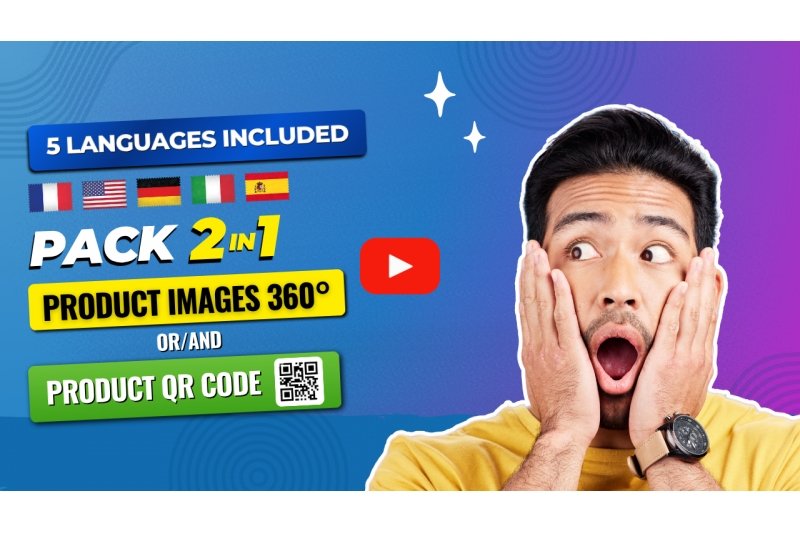
It is translated (included) in 5 languages: FR+DE+EN+IT+ES
Installation steps are described in 5 languages in the module's user manual provided upon purchase.
2-in-1 Pack: QR Code Product OR/AND:
- Add 360° rotating images to your products to showcase them and better display their sides.
- Using your smartphone or other camera, prepare your images from all angles and add them to the module.
- Adding images is quick: upload all your images at once to a single field.
Demo : https://demo-web2007.com/demo-module/cookies/en/1-hummingbird-printed-t-shirt.html
Video : https://www.youtube.com/watch?v=qJxoFnW7ruA

Implementing a 360-degree view on PrestaShop can be done by an experienced e-commerce developer or a specialized agency with in-depth knowledge of PrestaShop modules. These professionals know how to choose the right plugins, optimize settings, and ensure compatibility with the existing theme. They also take care to reduce image file sizes and maintain optimal performance to prevent website slowdowns. Thanks to their expertise, they guarantee a professional and seamless integration.
For retailers lacking technical expertise, hiring an expert helps avoid common mistakes such as mobile display issues, module conflicts, and slow loading times. A professional also ensures consistent visual presentation, easy image management, and an appealing result for the end customer. The goal is to improve conversion rates and offer a modern and immersive product presentation perfectly tailored to current user expectations.
Several PrestaShop modules allow you to display a professional 360° view, such as “360 Viewer”, “Magic Zoom Plus”, or “Spin 360”. The choice of module depends on your store's needs, the desired level of customization, your budget, and compatibility with your theme. These extensions offer advanced features like zoom, autoplay, mobile compatibility, multi-image management, and the ability to load high-resolution videos.
By selecting a reliable module, you ensure a smooth and attractive display that showcases your products. A good plugin also guarantees compatibility with PrestaShop updates, clear documentation, and effective technical support. Premium modules often offer greater stability, better image file size optimization, and faster loading, even for sequences containing dozens of photos. This improves the user experience and enhances your store's credibility.
The 360-degree animation should be integrated into the main image gallery, ideally in the first or second position, so that it is immediately visible when the user arrives on the product page. This strategic placement attracts attention and encourages the customer to interact with the image. The integration can be done as a dedicated thumbnail or a recognizable icon indicating that the 360-degree rotation is available.
It's also wise to designate a clearly identifiable area to prevent users from mistaking the 360 image for a simple static photo. By placing the animation in a location accessible from mobile phones, tablets, and computers, you optimize the user experience and maximize the visual impact of this feature. The goal is for customers to be able to freely interact with the product and perceive its details from all angles, which increases trust and reduces returns.
It is recommended to add 360° visuals when products require detailed viewing: fashion, shoes, furniture, technical accessories, or high-end items. As soon as you identify that your customers need to better understand the texture, shape, or details of an item, adding a 360° rotation becomes a real advantage. This is particularly relevant during website redesigns, catalog improvements, or the launch of a new premium line.
Integrating a 360-degree view is also beneficial before peak periods such as Christmas, sales, or major promotional events. By anticipating these periods, you improve the quality of your product pages, which fosters buyer confidence and increases conversion rates. This immersive feature perfectly meets the expectations of modern consumers who seek an experience close to that of interacting with the product in-store.
To create a 360° animation spin, the product must be photographed from multiple angles, typically between 24 and 72 images depending on the desired level of smoothness. The product is placed on a rotating platform, ideally with uniform lighting to avoid shadows. A fixed camera or a stabilized smartphone is used to accurately capture each angle. The images are then calibrated, retouched, and optimized to achieve a consistent and high-quality result.
Once the images are prepared, they are assembled using software or directly into a compatible PrestaShop module. Before importing, their file size must be optimized to ensure fast loading times. JPEG or WebP formats are recommended. The sequences are then uploaded to PrestaShop, configured in the 360° module, and tested on various devices. This preparation ensures a smooth, professional presentation that meets current e-commerce requirements.
The number of frames depends on the desired level of smoothness. Generally, a 24-frame rotation provides a decent result, but for a very smooth animation, between 36 and 72 frames are recommended. The more frames there are, the more precise and pleasant the rotation will be. However, this adds to the file size, requiring careful optimization to avoid slowdowns on mobile devices.
The ideal balance is between 36 and 48 photos for most products. This number allows for high-quality animation while maintaining reasonable loading times. Images should be reduced to an optimal file size and adapted to all screen resolutions. Particular attention to visual quality and fluidity ensures a rich experience that encourages customers to buy, while also maintaining good SEO performance.
The 360-degree view allows customers to visualize the product from all angles, offering an immersive experience similar to shopping in-store. It reduces uncertainty, helps customers understand proportions, and highlights details sometimes invisible in traditional photos. This visual transparency reassures the consumer and increases confidence, directly impacting the purchasing decision.
Furthermore, 360° animations add a modern and professional touch to product pages, setting your store apart from the competition. By offering a richer user experience, you create greater emotional engagement and a more positive perception of your brand. Adding 360° rotation also reduces returns, as customers know exactly what they are buying. This technology has become a powerful conversion driver in online retail.
360-degree plugins can be found on the official PrestaShop Addons marketplace, as well as on specialized sites like CodeCanyon or independent developer platforms. By choosing a plugin from a reputable source, you benefit from regular updates, reliable technical support, and comprehensive documentation. This ensures easier integration and better compatibility with different versions of PrestaShop.
Before purchasing a module, it's advisable to check customer reviews, the number of installations, and performance ratings. These criteria allow you to assess the plugin's stability and effectiveness across different PrestaShop themes. Premium modules are generally more comprehensive, offering greater customization options and optimal display fluidity. A reliable source ensures a conflict-free installation and long-term operation, essential for a professional online store.
Optimization must be performed before importing into PrestaShop. This step is essential to reduce image file size, improve display speed, and ensure a smooth mobile experience. It is recommended to adjust the dimensions, compress the files, and choose an appropriate format such as WebP or optimized JPEG. This preparation ensures that the store remains fast even with a large volume of images.
Optimization should also be reviewed after each theme update or addition of new modules to maintain performance. Testing on mobile, tablet, and desktop is essential to ensure smooth and responsive page rotation. Good optimization directly contributes to SEO, as Google prioritizes fast and lightweight pages. By proactively addressing this issue, you ensure a better user experience and improve your conversion rates.
Integration involves installing a compatible 360 spin module and then importing the images via its dedicated interface. Modern modules use lightweight scripts and load images progressively, preventing slowdowns. It's essential to choose compressed and properly sized images to minimize the overall file size of the sequence. Using lazy loading also ensures that the animation is only displayed when the user sees it.
It is recommended to test performance using tools like PageSpeed Insights or GTmetrix to identify any potential issues. Proper integration ensures that the 360° rotation doesn't negatively impact SEO or overload the server. PrestaShop agencies know how to optimize these animations to deliver an immersive experience without sacrificing speed, thus guaranteeing a high-performing, modern, and user-friendly online store.

We are kind and respectful of the EU GDPR and the Swiss Data Protection Act. Will you have us?


Without any cookies, this site will not function. Some cookies are imperative for this site to function properly, such as add to cart or purchase.
If you haven't changed your mind and don't want any cookies, we'll say goodbye and redirect you to google.com, please click Here.
If you've changed your mind, please click Here.