
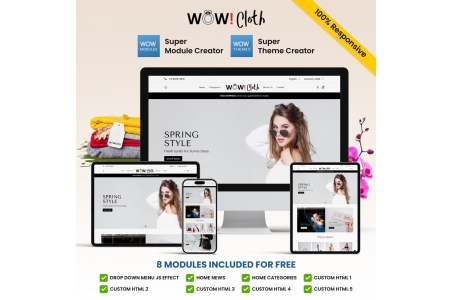


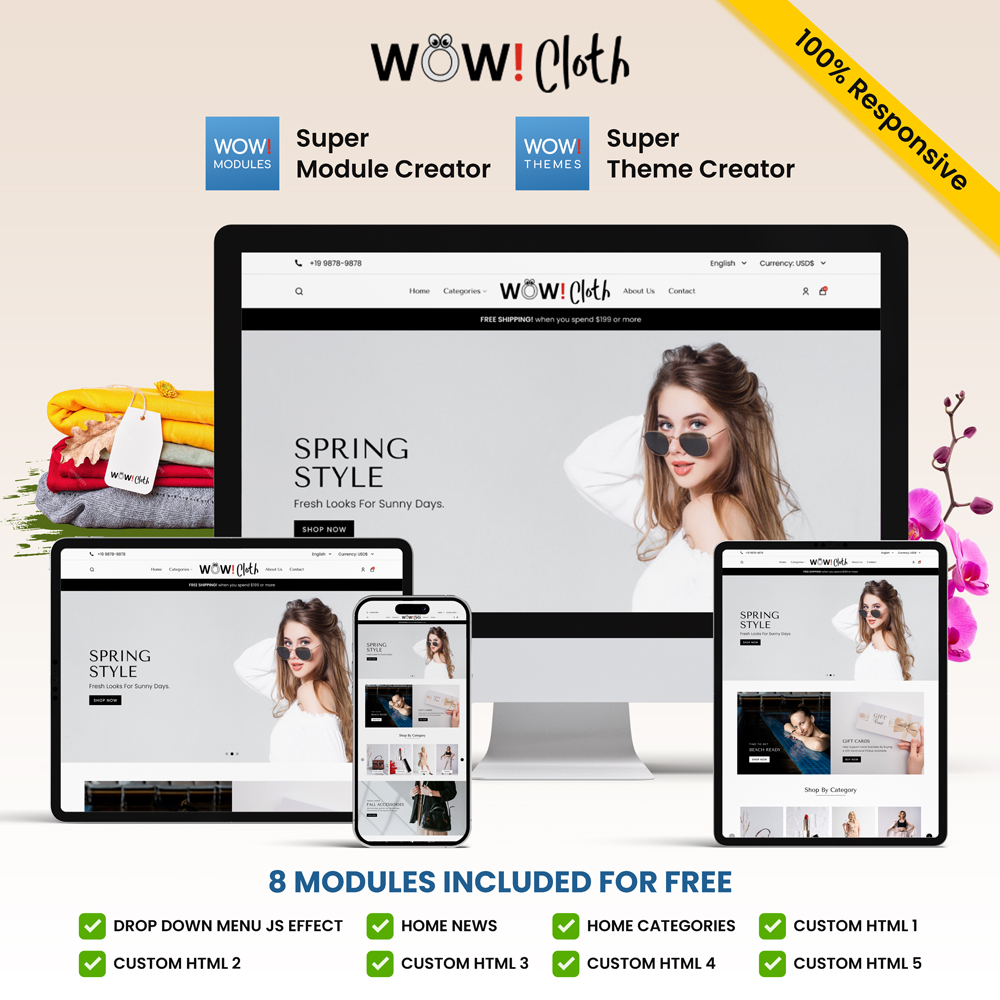
Wow! Cloth is a Premium Theme (template) for Fashion, Clothing, anorak, bikini, jacket, blouse, vest, coat, dress, blazer, jeans, sweater, skirt, miniskirt, swimsuit, shirt, shorts, raincoat, socks, tracksuit, pants, t-shirt, trench coat
Compatible with Prestashop versions 1.7 to 9
It is translated (included) in 5 languages: FR+DE+EN+IT+ES
Installation steps are described in 5 languages in the module's user manual provided upon purchase.
This theme includes the following modules:
- Drop-down menu with WOW effect
- News on the homepage
- Customizable HTML 1
- Customizable HTML 2
- Customizable HTML 3
- Customizable HTML 4
- Customizable HTML 5
Demo : https://demo-presta-8-1.ch/themes-demo/wow-cloth/en/
Guide : https://demo-presta-8-1.ch/themes-demo/wow-cloth/readme_en.pdf
A PrestaShop Fashion theme is particularly beneficial for ready-to-wear businesses, whether they are brick-and-mortar stores looking to expand their online presence or digital brands that sell exclusively online. This type of theme is designed to showcase collections, lookbooks, size and color variations, and high-quality product photos. Retailers who prioritize aesthetics and visual storytelling will find it a direct advantage.
Independent designers, emerging brands, and multi-store retailers also benefit from this type of theme. Thanks to a layout optimized for clothing, they can present their items elegantly and professionally, without advanced technical skills. A good fashion theme also facilitates the integration of seasonal catalogs, advanced filters, and personalized visitor experiences.
A PrestaShop Fashion theme should include a dynamic homepage showcasing the latest collections, popular products, and seasonal promotions. Product pages should display multiple high-resolution photos, color variations, and a clear size guide. Integrating a zoom module and 360° photos can also improve conversion rates.
It's essential to include an advanced filtering system to allow customers to sort clothing by size, color, material, or style. The theme should also be compatible with a blog for publishing fashion tips, clothing trends, or inspiring lookbooks. Smooth navigation and a responsive design are indispensable for mobile visitors, who now make up the majority of the audience.
The theme must be installed directly from the PrestaShop back office in the Appearance section, preferably on a clean installation or in a pre-production environment. This allows you to test the visual rendering, integrated modules, and various theme elements without disrupting the functional store. The goal is to guarantee perfect compatibility with the exact version of PrestaShop being used.
For optimal performance, it's recommended to host your store with a specialized e-commerce or cloud provider optimized for PrestaShop. These environments guarantee faster loading speeds, essential for a fashion theme rich in images. Optimized hosting providers can also offer advanced caching systems, a CDN, and improved handling of resource-intensive tasks.
A PrestaShop Fashion theme needs to be updated whenever PrestaShop itself releases a new version, primarily for security and compatibility reasons. Theme developers often release updates that fix bugs, improve speed, or add new features tailored to e-commerce trends, such as new grid layouts or smoother animations.
Regularly updating your theme is essential to ensure website stability, especially for clothing stores where visuals play a key role. An update can also include SEO optimizations, UX adjustments, or improved mobile compatibility, which helps increase conversions and reduce technical risks.
Personalization begins with adapting the color palette, fonts, and icons to reflect the brand's personality. A fashion theme should allow for the easy integration of a logo, banners, and professional photos. Designers can adjust the layout to highlight a specific collection or create an atmosphere that matches the brand's style.
Developers can then take it a step further by modifying the theme's code, adding custom sections such as an interactive lookbook or a synchronized Instagram gallery. Successful customization creates a seamless and memorable experience, boosting visitor engagement and enhancing the overall perception of the site's quality.
The price of a professional PrestaShop fashion theme typically ranges from €60 to €200, depending on the design, built-in options, and editor. Some premium themes include advanced modules such as a mega menu, virtual fitting room, lookbook, or promotional page templates. These themes reduce the need for additional modules, which can result in cost savings.
For stores seeking extensive customization or a completely unique design, costs can be higher, ranging from €500 to over €5,000 if a developer's involvement is required. The budget therefore depends on the desired level of visual quality, the complexity of the features, and the level of support needed.
A dedicated Fashion theme is optimized for selling clothing, with layouts tailored to collections, size variations, high-quality photos, and detailed product descriptions. Generic themes, while adaptable, don't always offer the specific features expected in the ready-to-wear industry, such as lookbooks, stylish sliders, or advanced filters by clothing style.
Choosing a specialized theme also enhances the user experience, as everything is designed to present the product as in a real store. Visitors can browse the store intuitively, exploring different cuts, colors, and collections, which reinforces the perceived quality and automatically increases the conversion rate.
The best themes are often produced by agencies specializing in Prestashop e-commerce, such as TemplateMonster and ThemeForest, or by independent development studios dedicated to Prestashop. These designers have a thorough understanding of the needs of clothing stores: the importance of imagery, managing product variations, highlighting seasonal collections, and seamless integration of lookbook pages.
These developers also update their themes to remain compatible with the latest versions of PrestaShop. They optimize performance, improve responsive design, and offer advanced features. By choosing a high-quality theme, fashion brands avoid bugs and slowdowns, and ensure a professional user experience.
Marketplaces like ThemeForest, Prestashop Addons, and TemplateMonster offer a wide selection of fashion themes optimized for Prestashop 1.7 and Prestashop 8. These platforms allow users to compare features, reviews, performance ratings, and available updates. This helps online stores select a reliable and compatible theme.
Some PrestaShop agencies also offer custom themes directly through their websites. These personalized themes have the advantage of being 100% tailored to the merchant's needs, both visually and technically. Regardless of the source chosen, it is essential to verify exact compatibility with the PrestaShop version being used to avoid conflicts.
Changing themes becomes necessary when the old theme no longer meets modern technical standards, is no longer updated, or slows down the store. Fashion stores evolve rapidly, and an outdated theme may no longer meet current UX requirements: smooth navigation, fast page load times, dynamic collection highlighting, or flawless mobile compatibility.
It can also be time to change themes when a brand is repositioning its image, launching a new premium collection, or looking to improve its conversion rate. A new theme allows for a fresh start with a modern, optimized foundation that's more aligned with contemporary visual trends.

We are kind and respectful of the EU GDPR and the Swiss Data Protection Act. Will you have us?


Without any cookies, this site will not function. Some cookies are imperative for this site to function properly, such as add to cart or purchase.
If you haven't changed your mind and don't want any cookies, we'll say goodbye and redirect you to google.com, please click Here.
If you've changed your mind, please click Here.