
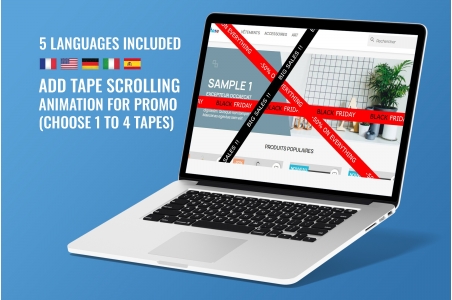


Keep your visitors informed about promotions/news!
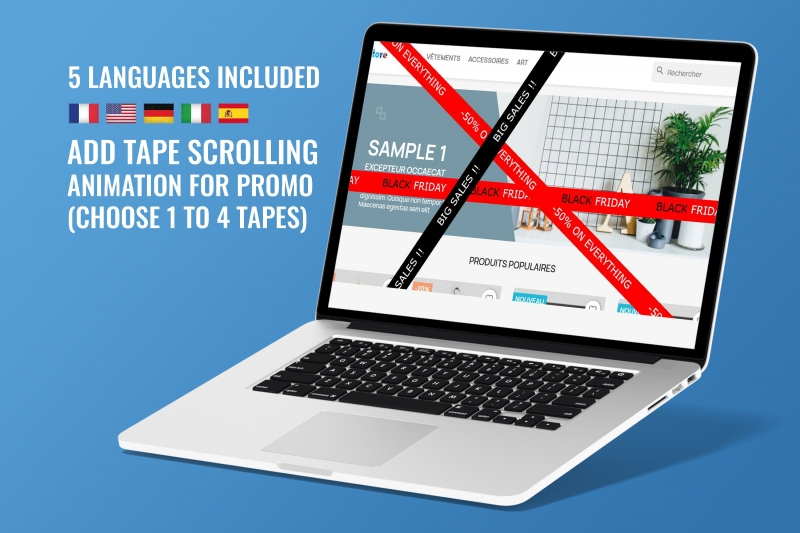
This module allows you to have Banner Animations with Scrolling Text for your Promotions/Sales, choice between 1 and 4 banners.
Compatible with Prestashop versions 1.7 to 9
It is translated (included) in 5 languages: FR+DE+EN+IT+ES
Installation steps are described in 5 languages in the module's user manual provided upon purchase.
The module settings include the following fields:
- number of banners,
- text for EACH banner (multilingual),
- color and speed of each text,
- the background color of EACH banner
Demo : https://demo-presta-8-1.ch/modules-demo/360-image/en/
Guide : https://demo-presta-8-1.ch/modules-demo/360-image/readme_en_salesstyle.pdf
Video : https://www.youtube.com/watch?v=o1sKV-efakA
.png)
Online stores looking to display their promotions dynamically widely use this PrestaShop module. These are typically retailers specializing in fashion, beauty, high-tech, or seasonal products, who need strong visual visibility. The scrolling banners automatically attract attention and direct users to specific offers without cluttering the homepage. This makes it a popular tool for e-commerce merchants keen to increase their click-through rate.
In practice, e-commerce experts and digital agencies recommend this module to merchants who want to easily manage their online store without technical skills. Adding, modifying, or deleting a promotional message is done in just a few clicks from the back office. Thanks to its user-friendly interface, this module enables flexible, responsive, and always visible marketing communication. Stores thus increase the visibility of their campaigns and improve conversion rates through better message prioritization.
This module is a tool that allows you to display between one and four scrolling promotional text banners on your PrestaShop store. It replaces static messages with smooth animation, improving visitor engagement. The module is particularly popular for its ability to highlight multiple messages simultaneously: sales, new arrivals, free shipping, promo codes, etc. It provides an efficient and lightweight solution for enhancing the visual appeal of a store without complex development.
Its popularity is also due to its impact on digital marketing. Animation captures the human eye more effectively than static elements. Visitors retain information better and are more likely to click. Furthermore, the module enhances the user experience by clearly showcasing important offers upon arrival on the site. For a merchant looking to increase their conversion rate while maintaining a professional design, this module has become an essential tool: simple, fast, and effective.
The module is installed directly via the “Modules” tab in your PrestaShop back office. Once installed, it typically appears at the top of the store, just above the header or at the top of the main content. This strategic placement allows you to immediately capture the visitor's attention as soon as the page loads. The goal is to ensure your promotions are seen without the user having to scroll, thus increasing the likelihood of a click.
Depending on your theme, it's also possible to display the banner in other positions, such as just above the footer or in the sidebar. However, the top area remains the most effective in terms of visibility. Installing the module there maximizes the impact of marketing messages and helps align the site's appearance with its business objectives. This ensures that the merchant's promotions never go unnoticed by customers.
Intense promotional periods like sales, Black Friday, or the holiday season are perfect times to use this module. Visitors expect to see featured offers, and the animation captures their attention even more. It's also an excellent tool for product launches or limited-time promotions. The fast scrolling allows you to display multiple messages without visually cluttering the page.
This module can also be used continuously to highlight the store's ongoing benefits: free shipping, easy returns, guarantees, and new arrivals. Even outside of promotional periods, it helps improve the user experience by clearly and quickly communicating the most important information. By using this module regularly and intelligently, a merchant can significantly enhance their marketing strategy throughout the year.
The configuration is done entirely through the back office. Once the module is installed, you can add between one and four banners, customize the scrolling speed, typography, colors, and associated links. The goal is to harmonize the banner's style with your theme for a natural and professional integration. By modifying the visual settings, you can highlight specific keywords or colors to increase impact.
You can also schedule or modify your messages in real time to suit your marketing needs. The module should subtly encourage the customer to click without being intrusive. A good setup involves balancing scrolling speed, text readability, and graphic consistency. This flexibility allows merchants to adapt messages based on performance and continuously improve their conversion rate.
The cost of a specialized scrolling text banner module typically ranges from €60 to €150, depending on its features and the marketplace where it's sold. This price remains affordable compared to other animation or promotional modules. In addition to the one-time purchase cost, some merchants may invest in graphic customization to adapt the design to their existing theme. However, since this module is simple, most users don't need to incur any additional costs.
The return on investment is typically felt within the first few weeks, thanks to the increased click-through rate on promotions. By displaying multiple dynamic messages without cluttering the page, your store communicates more effectively and in a more engaging way. This type of marketing improvement helps increase average order value, conversions, and customer retention. For a modest cost, it's often one of the most profitable modules for an e-commerce business.
The human eye is naturally drawn to movement. Scrolling text creates this subtle animation effect that captures attention without being intrusive. In an environment saturated with static images, subtle animation stands out. Promotions become instantly more visible, and visitors retain key messages more effectively. This increased attention often translates into higher click-through rates and improved engagement with targeted pages.
Animations also energize the overall look of the store, reinforcing the impression of professionalism. A dynamic website inspires more confidence and gives customers the feeling of a thriving and well-maintained business. Combined with short, clear, and relevant messages, the scrolling banner becomes a true extension of visual marketing. It encourages customers to explore further and facilitates the highlighting of strategic offers, thus improving conversion rates.
This module is designed to be accessible to everyone, even beginners. Merchants can install it from the back office in seconds and configure the visual options using an intuitive interface. No knowledge of CSS or HTML is required, although these skills will allow for more advanced customization. The predefined options are more than sufficient for most stores, without the need for a developer.
This allows retailers to quickly adjust their marketing messages based on seasons or real-time performance. The module thus becomes a flexible and accessible tool for any marketing team, even without technical expertise. Thanks to this ease of use, retailers save time while maintaining complete control over the display of promotions. This is a major advantage for small and medium-sized businesses looking to professionalize their communication.
Banner ads are most effective when positioned at the top of the website, where customers first look. Placed just above the header or at the top of the main content, they become immediately visible. This prime location is ideal for displaying a compelling promotional message as soon as a user arrives on the site. This maximizes the marketing impact of the ads and improves navigation to target pages.
In some themes, it's possible to insert banners in secondary hooks, such as sidebars or just before the footer. These positions can be useful for promotional reminders, but they are less effective than the top area. Merchants should therefore prioritize strategic locations that guarantee maximum visibility. Optimal banner placement is a key factor in increasing conversion rates and effectively guiding the customer.
On an e-commerce site, users are faced with a large amount of information. This module allows for the display of several important messages in a small space, while avoiding visual overload. Thanks to the scrolling feature, each message receives dedicated exposure time, improving clarity and comprehension. Online stores thus use this system to prioritize their promotions without sacrificing the site's aesthetics.
By optimizing the information structure, this module reduces user confusion. Customers quickly understand the benefits offered and can click on the relevant offer without searching. This seamless navigation is essential for improving satisfaction and reducing bounce rates. By better organizing their marketing messages, PrestaShop stores strengthen the effectiveness of their sales communication and maximize their results.

We are kind and respectful of the EU GDPR and the Swiss Data Protection Act. Will you have us?


Without any cookies, this site will not function. Some cookies are imperative for this site to function properly, such as add to cart or purchase.
If you haven't changed your mind and don't want any cookies, we'll say goodbye and redirect you to google.com, please click Here.
If you've changed your mind, please click Here.